Unity Windos端电脑屏幕窗口适配
2026-08-16 14:43:15
# unity
# 经验记录
问题描述
由于各个电脑显示器分辨率不同,导致了游戏画面在不同显示器上显示效果不同,可能导致UI错位或者画面显示不全
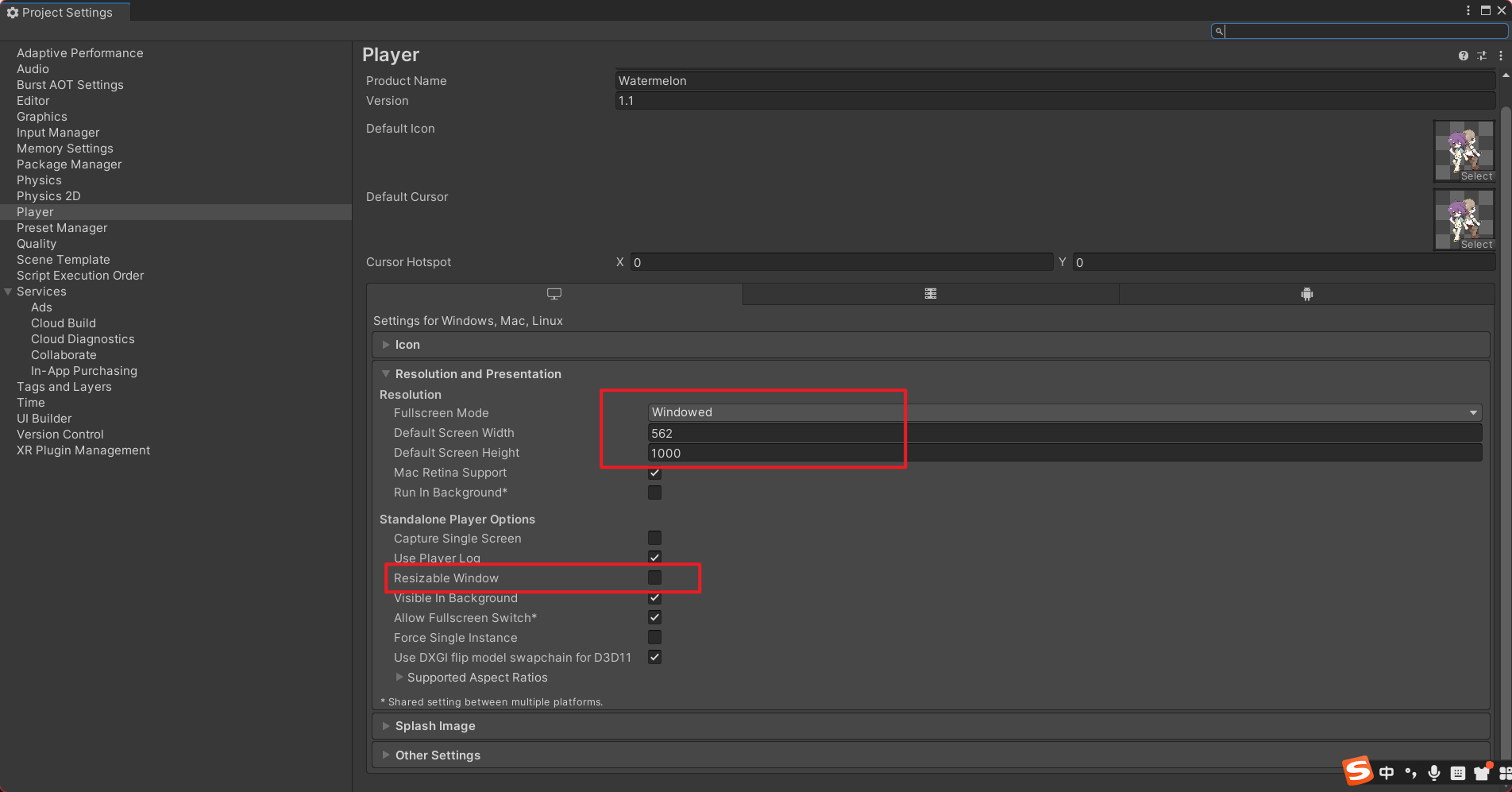
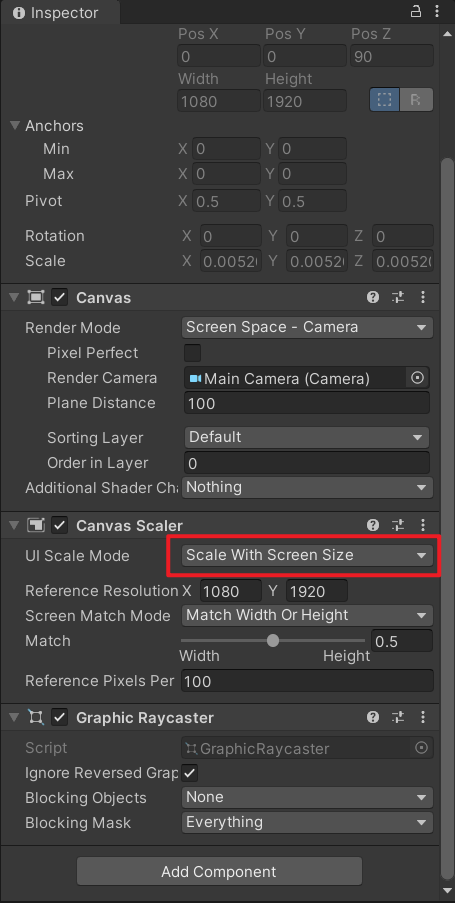
可添加以下脚本和设置来解决此问题
代码
using UnityEngine;

public class WindowManager : MonoBehaviour
{
    public static WindowManager Instance;

    // 9:16
    private const float TargetAspect = 9f / 16f;

    // 给电脑屏幕预留的边距
    private const int ScreenMargin = 80;

    private void Awake()
    {
        // 防止切换场景后重复创建
        if (Instance != null && Instance != this)
        {
            Destroy(gameObject);
            return;
        }

        Instance = this;

        // 跨场景保留
        DontDestroyOnLoad(gameObject);
    }

    private void Start()
    {
        SetWindowSize();
    }

    private void SetWindowSize()
    {
        // 获取电脑当前分辨率
        int screenWidth = Screen.currentResolution.width;
        int screenHeight = Screen.currentResolution.height;

        // 最大可用尺寸
        int maxWidth = screenWidth - ScreenMargin;
        int maxHeight = screenHeight - ScreenMargin;

        // 先按照高度计算
        int windowHeight = maxHeight;
        int windowWidth = Mathf.RoundToInt(windowHeight * TargetAspect);

        // 如果宽度超过屏幕,则按照宽度重新计算
        if (windowWidth > maxWidth)
        {
            windowWidth = maxWidth;
            windowHeight = Mathf.RoundToInt(windowWidth / TargetAspect);
        }

        // 设置为窗口模式
        Screen.SetResolution(
            windowWidth,
            windowHeight,
            FullScreenMode.Windowed
        );

        Debug.Log(
            $"游戏窗口设置为:{windowWidth} × {windowHeight}"
        );
    }
}
设置